C-Suite Stock Bot

Since transferring into the Platforms / Low-Code group, I’ve had the opportunity to take many pieces of training, create my own bots, and, essentially, let the creative juices flow. One of these bots is what I call the Stock Bot. At a high level, this robot finds recent equity purchases made by CFOs and CEOs on openinsider.com and purchases the same stocks in my trading account at an amount of my choosing. I care about their purchases because evidence shows that “there’s significant evidence that corporate insiders are accurate at predicting their future stock price.” Here’s how the Stock Bot works:

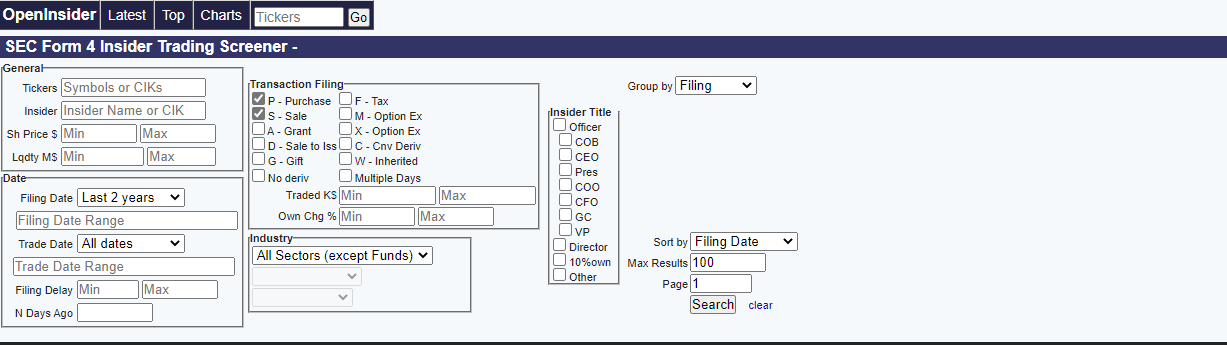
First, I have to run the “dispatcher.” The dispatcher is a function in UiPath that logs items into a queue. The dispatcher robot opens Google Chrome, navigates to Openinsider.com, and selects my chosen preferences: CFO and CEO purchases. Then, the bot scrapes the data from the site, creates a data table, and sends it to a queue in the UiPath Orchestrator, where I can further play with the data. Now, there are 100 items in the queue containing the most recently declared trading data from CEOs and CFOs. End dispatcher.

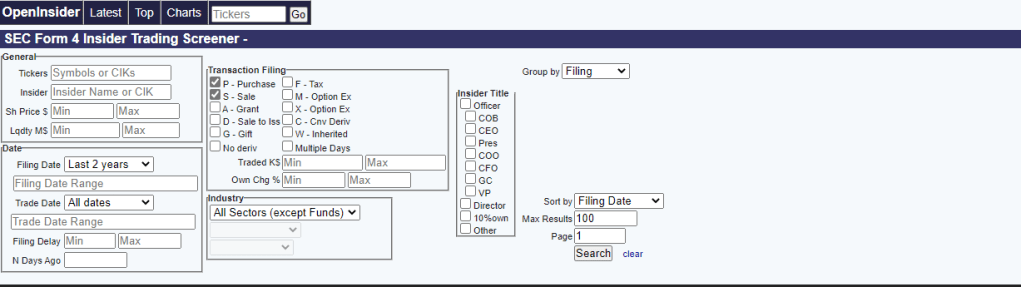
Openinsider.com’s preferences and options

Next, UiPath’s REFramwork function steps in. Once run, the bot opens your trading platform of choice (I use Robinhood), and the Process Transaction phase starts. Each queue item is processed: a ticker is typed into the search bar and searched, a USD amount is entered, and a series of UI elements are invoked to purchase the equity. One transaction is processed, 99 more to go. The bot will run until all 100 transactions are processed. Once finished, the user has a diverse portfolio of recently reported purchases by CEOs and CFOs.

Combining my double major of Finance and MIS, this robot was exciting to create. I’d love to hear your thoughts, questions, and/or comments, or how I can make this robot better.

Tedious Task #1

Here is the first piece of many tedious tasks that I would like to automate.

Within my role at KPMG, we have a couple tools and software specific to Risks, Controls, and SOX/SOC Testing. The two primary applications are eAudit and Clara. This task used eAudit.

As part of closing procedures, I was instructed to go through eAudit and ensure there were no outstanding comments in work papers (WP) within the larger client file. If I found a comment, I was instructed to make note and compile a list. These comments are review notes from different stakeholders on the firm-side and are usually questions or requests to fix content/verbiage.

We tested 11 parent controls, CO-01 through CO-11 (Computer Operations). Within each parent control, there are 3 to 8 ‘child’ controls (e.g. CO-01.01 through CO-01.08) Within each ‘child’ control, there is a Test of Design (TOD) and a Test of Operating Effectiveness (TOE). Within each TOD and TOE, there is one memo (usually .doc) and one WP (usually .xlsx). If we do some math, there are, on average, 110 documents to scan through for comments:

11 parent controls * (on average) 5 child controls = 55 control modules

55 control modules * 2 TOE & TOD documents = 110 documents to scan through for comments

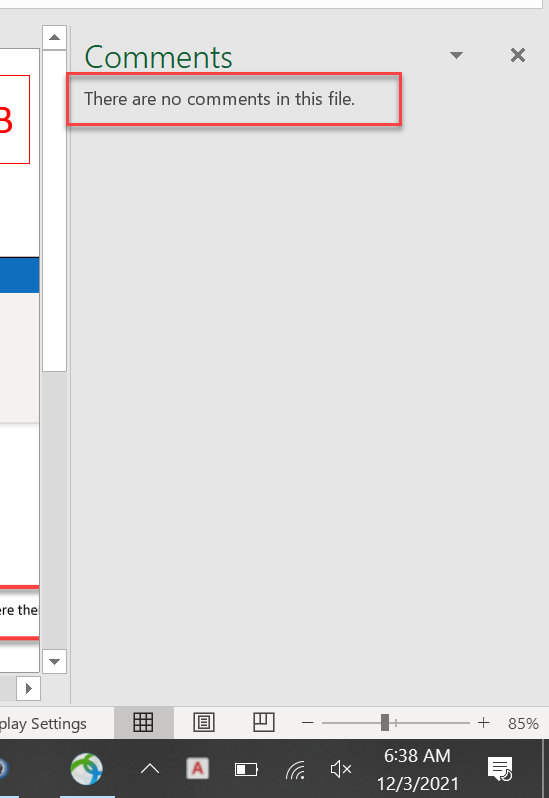
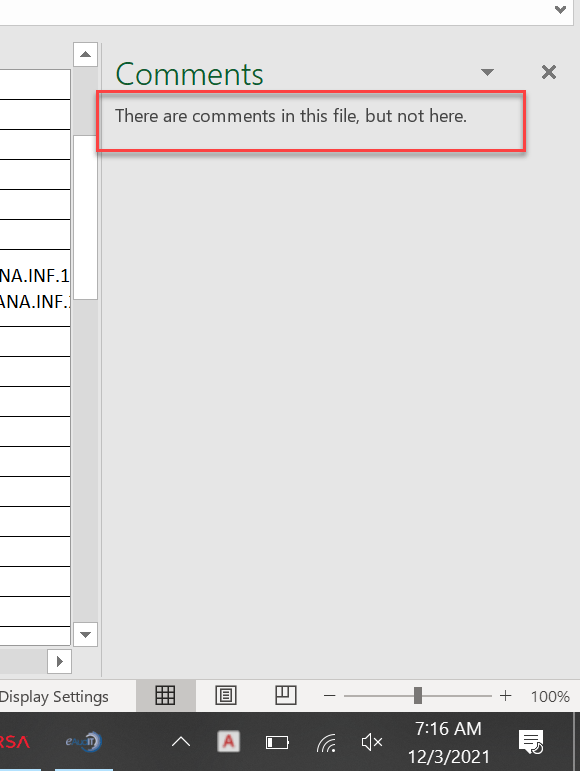
Initially, I previewed the documents within eAudit but was later informed that I had missed some comments. I was asked to go through each 110 documents to ensure all were addressed and removed. To ensure I wasn’t missing any, I decided it was best to open each document and use the built in Excel / MS Word command to “Show Comments.” This command either told me that “there are” or “there are not” comments in the file.

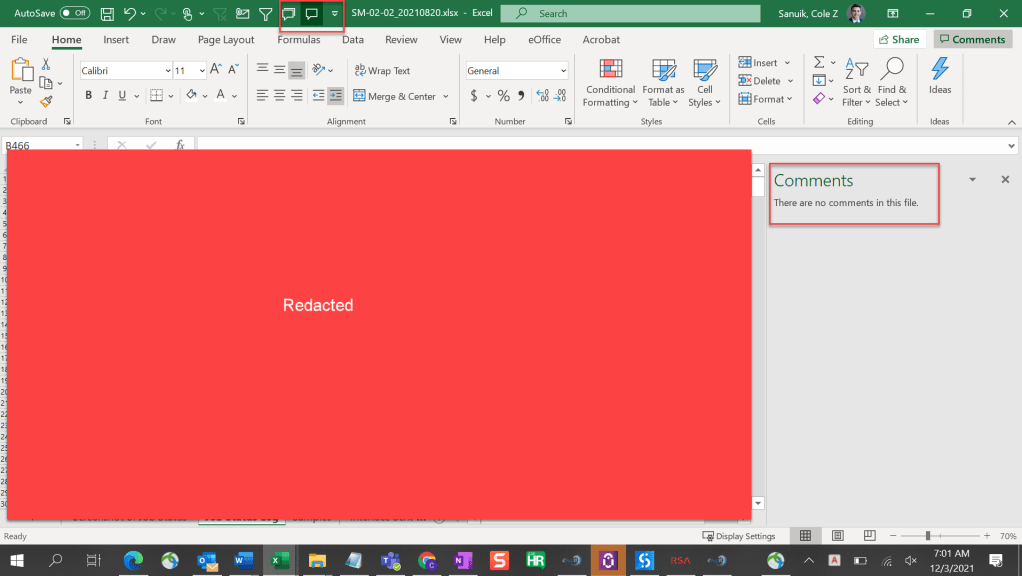
“There are no comments in this file” meaning no further action
“There are comments in this file, but not here” meaning further action needs to be taken

Although necessary, this task was tedious, mundane, and repetitive. How can I automate this?

The Automation

My first concern is that UiPath might not connect to eAudit, being that eAudit is an internal legacy system. Concern aside, the automation might perform as follows.

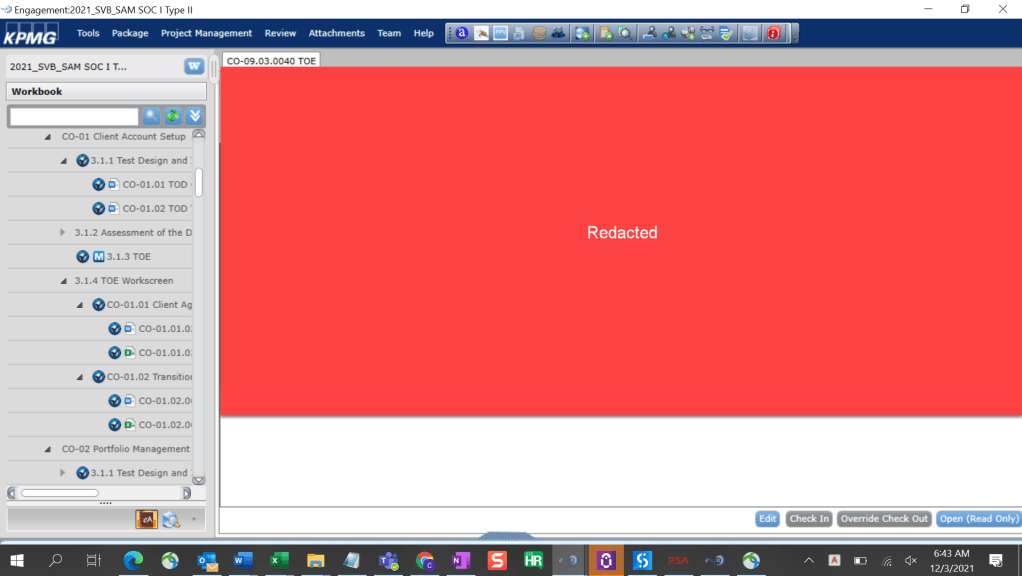
  • 1. Click and open a parent control
  • 2. Click and open each TOE and TOD sections
  • 3. Click and open each ‘child’ control
Here we note that CO-01 contains a total of 6 documents
  • 4. Click the ‘Open (Read Only)’ button in the bottom right corner of the above screenshot. Note: the process of clicking on the module, having it load, then opening the document takes a bit of time (~ 5-10 seconds).
  • 5. Once the document has opened, click the shortcut icon on the top of the Excel (pictured below) to determine whether there are comments in the file.
‘Show Comment’ process to determine if comments need to be noted
  • 6. The following steps can go a number of ways ranging from complex to simple. In theory, we might be able to run a program that finds the comments, notes where they are, and connects to excel to document/make a list of active comments. For simplicity purposes, I’ll be taking the following approach.
  • 7. Once the ‘Show Comment’ icon is clicked, the program will take a screenshot, as seen above.
  • 8. The screenshot will be saved in a folder.
  • 9. After the program is automatically ran for all 110 control modules, I can go to the screenshot folder and cycle through every screenshot and note whether a comment is present in the file or not. I will have the necessary RDE / info to relay which control module has comments in the file.

The beauty of this automation is that the program can be used across the firm. It’s my extrapolation that this task is a closing procedure that needs to be executed for every SOC report engagement (and likely every eAudit/Clara engagement).

I may have spent more time thinking about and documenting this task as it took to complete, but I am thoroughly interested in automation and hope to tie it into all aspects of my work.

Your Guide to Robotics

The Emerging Tech Brew, my favorite Morning Brew newsletter, recently released a Guide to Robotics. This comprehensive guide lays out everything you need to know about robotics (it even includes ~20 page timeline). This was a great read and I highly recommend the report to anyone interested in technology.

https://www.morningbrew.com/emerging-tech/guides/your-guide-to-robotics

Although the report focuses on physical robots and hardware, they mention Software Robots: “it’s important to mention robotic process automation (RPA) here. It’s a way to automate rote knowledge work tasks using algorithms.” (Field, 2021). Field goes on to explain that the RPA industry is big money. The “leading RPA startup UiPath… announced a $750 million Series F this year” UiPath, which counts Google, NASA, and JPMorgan among its clients, will be valued at $35 billion this year, over 10x more than it was worth in 2018. The RPA and Automation space is exploding and I’m excited to see where it goes.

Sky Harbor Automated Checkout

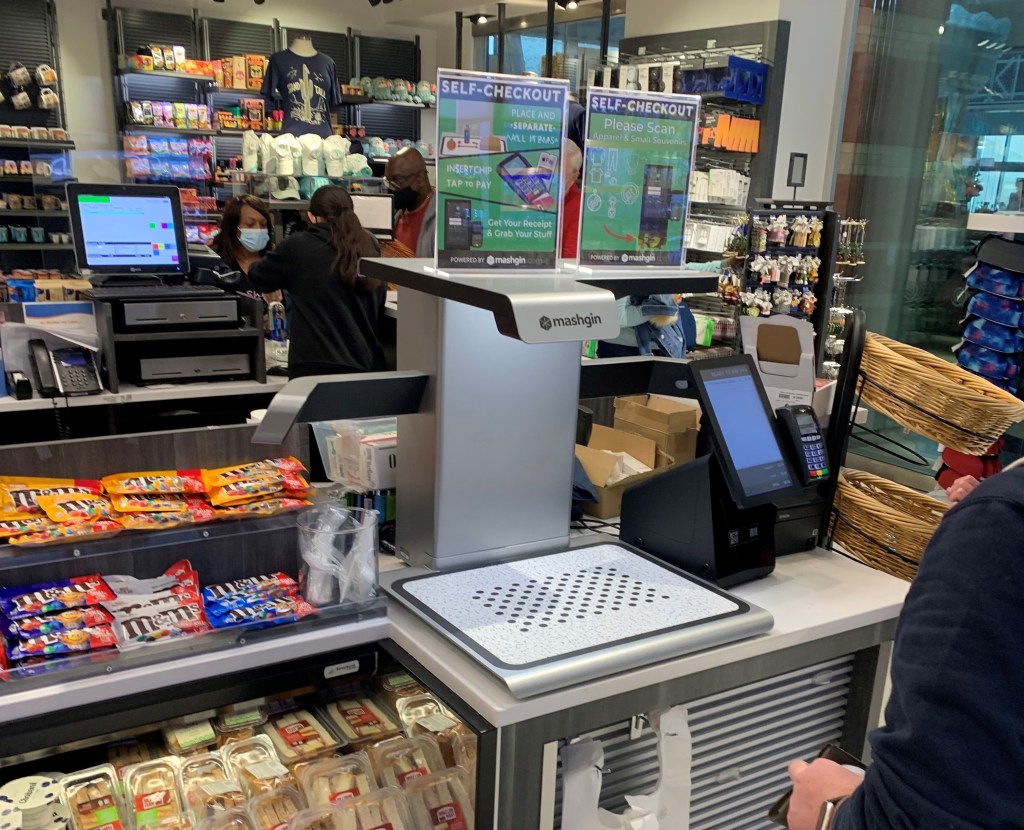
While traveling back to SF from PHX, I stopped for a Dasani at one of those snacks/drink/magazine airport stores (does anyone buy magazines anymore?). I patiently waited in line and suddenly realized there wasn’t a person on the other side of the checkout counter. Confused, I walked to the adjacent register but stopped suddenly at the sight of what looked to be a Star Trek inspired 3D printer. The device didn’t produce material but gathered material– it was Mashgin’s touchless checkout system, the world’s fastest self-checkout powered by AI.

Mashgin’s touchless self checkout machine in Phoenix

I was amazed at this beautiful machine. The technology can identify multiple items in under a second so customers can scan, pay, and be on their way. It can instantly identify packaged goods, produce, and open plates from any angle.

This innovation is so exciting. Employees are often a business’ largest expense. Business owners can hire less staff and increase revenue by reducing lines. This product is groundbreaking not only financially but also ethically. We can release employees from mundane, repetitive tasks and refocus them towards innovation and improvements. I could be speaking from my own experience, but I’ve never met someone who is in love with manning a register. With innovations like this we can let people to do people things.

There’s often a misconstrued argument that robots will take our jobs. Certainly, the workforce will have to upskill and evolve, but I think that’s the nature of human evolution. When cell phones were invented, we weren’t worried about pay phones becoming obsolete. Technology will only promote our human innovation and metamorphosis.

I am so excited for the future or robotics, AI, and Automation and can’t wait to see how technology, like Mashgin’s, disrupts every aspect of our lives.

Why is RPA Exciting?

Although I was recently introduced to Robotic Process Automation (RPA) by my career coach, I had accidentally encountered the topic much earlier—almost three years earlier. While in high school, I worked at a law firm as a marketing intern. There, I was tasked with completing a tedious marketing process: sending hard mail to potential clients with outstanding medical liens.

In short, the process included gathering data from a county database, cross-checking names with addresses through a separate database, entering said data into Excel, and mail-merging the data to printable, ready-to-send mail. I thought, “there has to be a faster, more efficient way to do this.” I found a Google Chrome extension called Linkclump and drastically expedited the process. I had found my passion for solving complex problems and finding innovative solutions. I also, without knowing at the time, found a passion for Robotic Process Automation. Today, a consultant could go to the law firm and completely automate this process using RPA technology.

UiPath, the leading RPA software firm, describes Robotic Process Automation as “the technology that allows anyone today to configure computer software, or a “robot” to emulate and integrate the actions of a human interacting within digital systems to execute a business process.” RPA robots can interpret data, trigger responses, and communicate with systems just like humans can, only substantially better: they never sleep and never make mistakes.

Companies can use an array of software to automate the tedious business processes they face. The issue is that these enterprise automation tools are expensive and take time to implement. RPA is attractive to businesses because it’s a fraction of the cost, takes a fraction of the time to implement, is non intrusive in nature, and uses the firm’s existing infrastructure without causing disruption. With all advantages being said, it is important to know that RPA has its pitfalls.

RPA isn’t for every business. The technology is rapidly eliminating jobs from the workforce. While this sounds like a positive consequence, companies who struggle to retain talent could be detrimentally impacted. Forrester Research estimates that RPA software will threaten the jobs of 230 million workers globally by next year. Additionally, not all processes are a match for RPA. Kevin Casey, writer at The Enterprisers Project, details four criteria when determining possible RPA fits:

  1. The process must be rule-based.
  2. The process must be repeated at regular intervals or have a pre-defined trigger.
  3. The process must have defined inputs and outputs.
  4. The task should have sufficient volume.

After talking to firms like CGI and Protiviti at the recent Eller Career Showcase, I learned that RPA is a hot topic. Through this service, we are seeing a revolution in business process automation. Clint Boulton, senior writer at CIO.com, explains that RPA is eliminating, “tedious tasks, freeing corporate workers to focus on higher value work.” The software is categorically reducing staffing costs and human errors within businesses. In 2018, a prominent bank utilized RPA by deploying 85 bots to run 13 processes, handling over 1.5 million requests per year. The possibilities that come from RPA implementation are endless.

RPA is so exciting to me because I believe it is the technology of the future. I believe that we are at the beginning of a period that will be defined by serious technological advancement—a future that is encompassed by automation and artificial intelligence. With the arrival of autonomous cars, cashier-less stores, and automated processes, humankind will gain time. We will be relieved of the tedious and previously-necessary tasks that once encumbered us. In this dystopian-yet­-very-feasible future, society will have the resources to do the things they love. We will invest time and energy into art, culture, food, film, fashion—the things that truly excite us as humans. I’m excited to be a part of this dynamic, tech-driven future.