C-Suite Stock Bot

Since transferring into the Platforms / Low-Code group, I’ve had the opportunity to take many pieces of training, create my own bots, and, essentially, let the creative juices flow. One of these bots is what I call the Stock Bot. At a high level, this robot finds recent equity purchases made by CFOs and CEOs on openinsider.com and purchases the same stocks in my trading account at an amount of my choosing. I care about their purchases because evidence shows that “there’s significant evidence that corporate insiders are accurate at predicting their future stock price.” Here’s how the Stock Bot works:

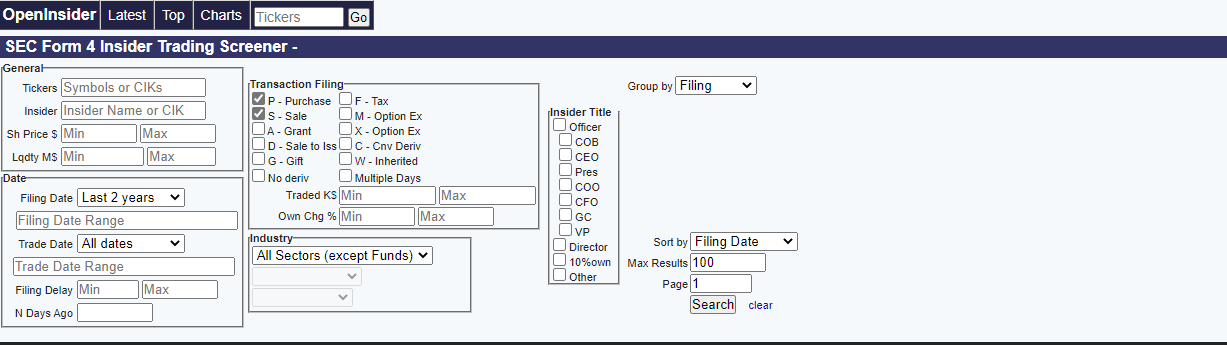
First, I have to run the “dispatcher.” The dispatcher is a function in UiPath that logs items into a queue. The dispatcher robot opens Google Chrome, navigates to Openinsider.com, and selects my chosen preferences: CFO and CEO purchases. Then, the bot scrapes the data from the site, creates a data table, and sends it to a queue in the UiPath Orchestrator, where I can further play with the data. Now, there are 100 items in the queue containing the most recently declared trading data from CEOs and CFOs. End dispatcher.

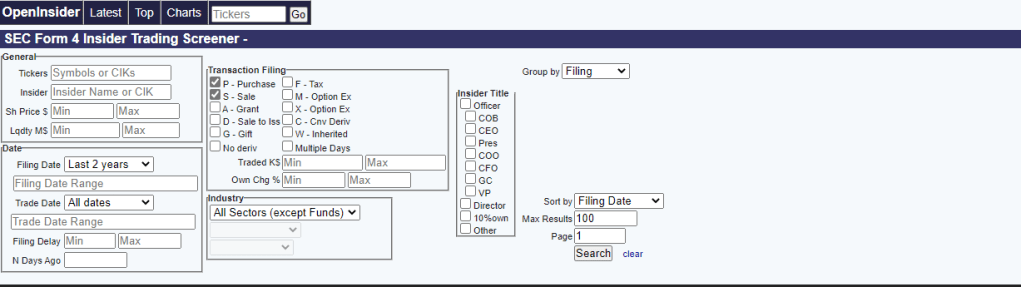
Openinsider.com’s preferences and options

Next, UiPath’s REFramwork function steps in. Once run, the bot opens your trading platform of choice (I use Robinhood), and the Process Transaction phase starts. Each queue item is processed: a ticker is typed into the search bar and searched, a USD amount is entered, and a series of UI elements are invoked to purchase the equity. One transaction is processed, 99 more to go. The bot will run until all 100 transactions are processed. Once finished, the user has a diverse portfolio of recently reported purchases by CEOs and CFOs.

Combining my double major of Finance and MIS, this robot was exciting to create. I’d love to hear your thoughts, questions, and/or comments, or how I can make this robot better.

Some AI/ML Content I’m Loving Right Now

My cousin Will Essigs recently sent me a book for Christmas. Sorry Santa, my transgression of pre-Christmas gift unwrapping can be explained: Will is one of the smartest, most hardworking people I know, and my desire to be a consultant is largely derived from his successful career. I could tell it was a book and knew the information inside was important. It was AI Superpowers – China, Silicon Valley, and the New World Order by Kai-Fu Lee, and it was very important.

I’m absolutely loving this book. It’s an analysis on the human-AI coexistence, predicting the disruptive shifts that define our AI-driven future. One of my favorite lines so far comes from Lee’s discussion with young students. He explains that, “we all want to know what AI Automation will mean for our jobs and for our sense of purpose… which people and countries will benefit from the tremendous technology… whether AI can vault us to lives of material abundance, and whether there is space for humanity in a world run by intelligent machines. We hear AI/ML all the time these days, but Lee believes this exploration is just in its infancy.

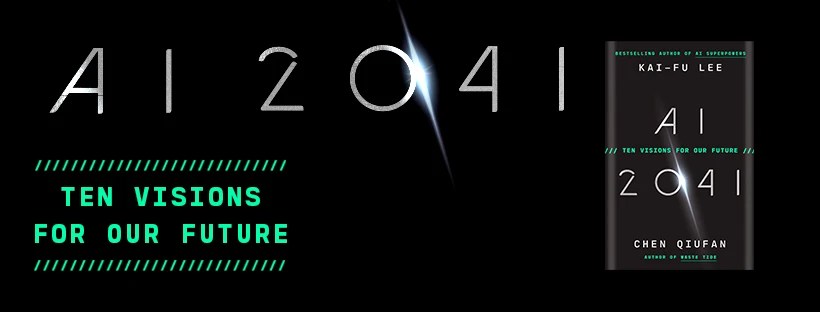
Obsessed with Lee’s writing, I began to look for more of his work. AI Superpower was written in 2018, and although still very current, there has been so much progression in the past 4 years. I was delighted to find that Lee released a new book just recently in September 2021 called AI 2040 – Ten Visions for Our Future.

This book is less analytical and more story telling. Lee and his ex Google co-worker / best selling science fiction author Chen Qiufan answer an imperative question: How will artificial intelligence change our world within twenty years? The book tells 10 gripping short stories, set twenty years ahead, about the future of AI. Although a few chapters in, Lee wrote something that really got me excited:

“AI will give us back our most valuable resource: Time. It will take over routine tasks and liberate us to do more stimulating or challenging jobs. Humans will work symbiotically with AI– with AI performing quantitative analysis, optimization, and routine work, while we humans contribute our creativity, critical thinking, and passion. Each humans productivity will be amplified, allowing us to realize our potential”

After Lee’s work, I plan to dive into some books that Alexandros Zenonos, PhD has recommended in his article Top 3 Books a New Data Scientist Should Read.

  1. Machine Learning by Tom Mitchell
  2. Elements of Statistical Learning by Trevor Hastie
  3. Pattern Recognition and Machine Learning by Christopher Bishop

Tedious Task #1

Here is the first piece of many tedious tasks that I would like to automate.

Within my role at KPMG, we have a couple tools and software specific to Risks, Controls, and SOX/SOC Testing. The two primary applications are eAudit and Clara. This task used eAudit.

As part of closing procedures, I was instructed to go through eAudit and ensure there were no outstanding comments in work papers (WP) within the larger client file. If I found a comment, I was instructed to make note and compile a list. These comments are review notes from different stakeholders on the firm-side and are usually questions or requests to fix content/verbiage.

We tested 11 parent controls, CO-01 through CO-11 (Computer Operations). Within each parent control, there are 3 to 8 ‘child’ controls (e.g. CO-01.01 through CO-01.08) Within each ‘child’ control, there is a Test of Design (TOD) and a Test of Operating Effectiveness (TOE). Within each TOD and TOE, there is one memo (usually .doc) and one WP (usually .xlsx). If we do some math, there are, on average, 110 documents to scan through for comments:

11 parent controls * (on average) 5 child controls = 55 control modules

55 control modules * 2 TOE & TOD documents = 110 documents to scan through for comments

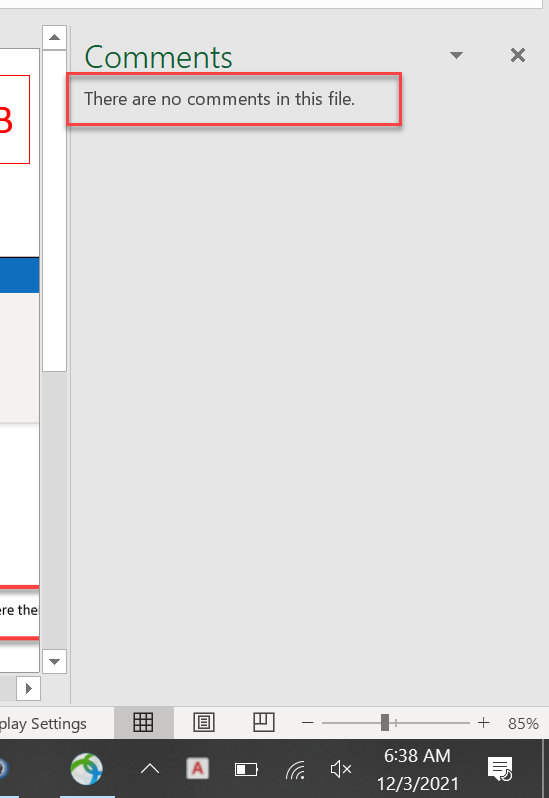
Initially, I previewed the documents within eAudit but was later informed that I had missed some comments. I was asked to go through each 110 documents to ensure all were addressed and removed. To ensure I wasn’t missing any, I decided it was best to open each document and use the built in Excel / MS Word command to “Show Comments.” This command either told me that “there are” or “there are not” comments in the file.

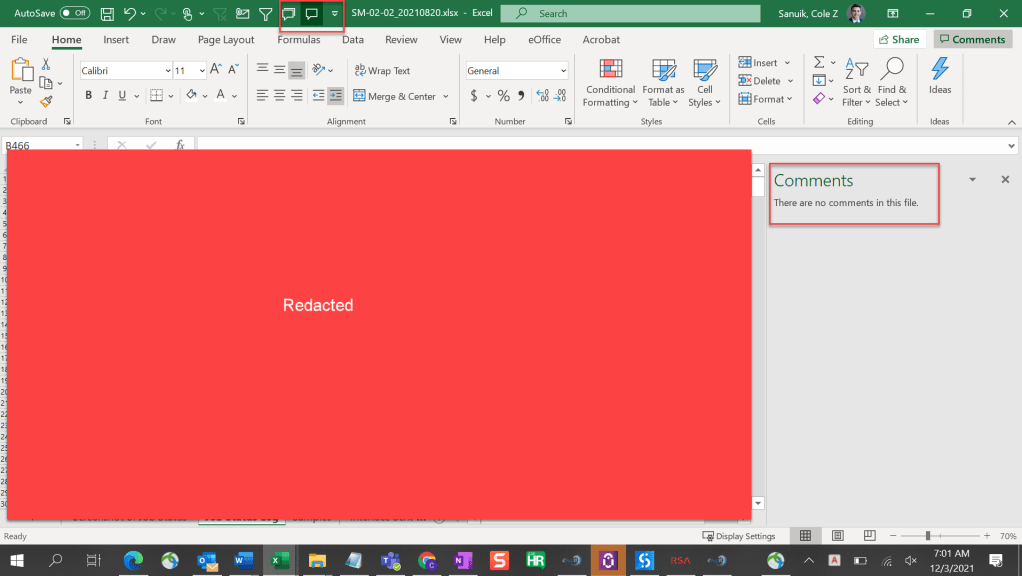
“There are no comments in this file” meaning no further action
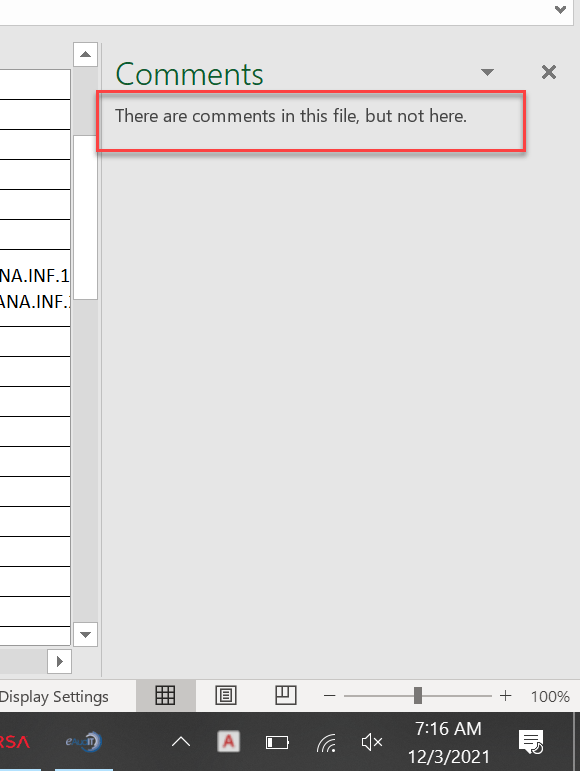
“There are comments in this file, but not here” meaning further action needs to be taken

Although necessary, this task was tedious, mundane, and repetitive. How can I automate this?

The Automation

My first concern is that UiPath might not connect to eAudit, being that eAudit is an internal legacy system. Concern aside, the automation might perform as follows.

  • 1. Click and open a parent control
  • 2. Click and open each TOE and TOD sections
  • 3. Click and open each ‘child’ control
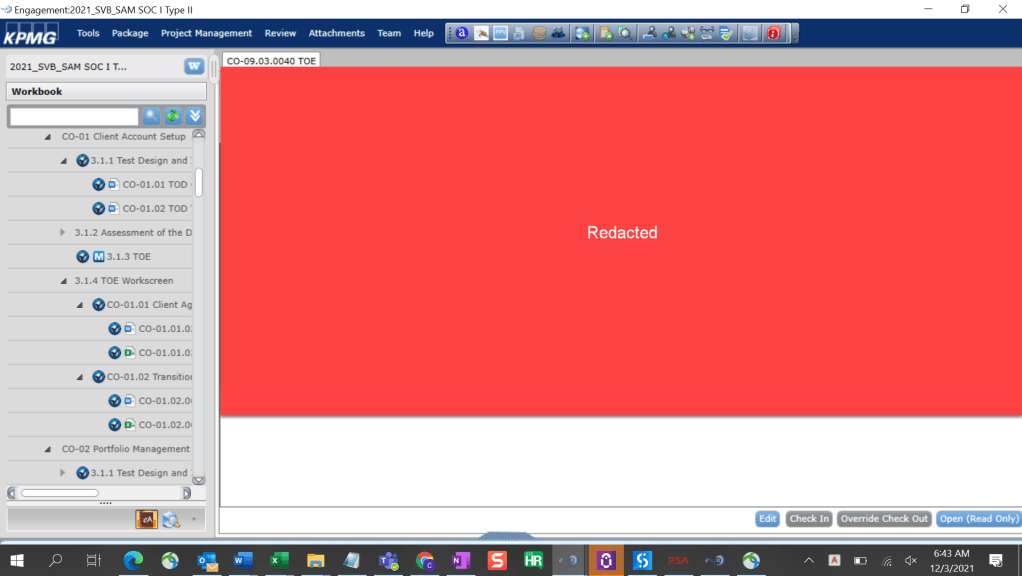
Here we note that CO-01 contains a total of 6 documents
  • 4. Click the ‘Open (Read Only)’ button in the bottom right corner of the above screenshot. Note: the process of clicking on the module, having it load, then opening the document takes a bit of time (~ 5-10 seconds).
  • 5. Once the document has opened, click the shortcut icon on the top of the Excel (pictured below) to determine whether there are comments in the file.
‘Show Comment’ process to determine if comments need to be noted
  • 6. The following steps can go a number of ways ranging from complex to simple. In theory, we might be able to run a program that finds the comments, notes where they are, and connects to excel to document/make a list of active comments. For simplicity purposes, I’ll be taking the following approach.
  • 7. Once the ‘Show Comment’ icon is clicked, the program will take a screenshot, as seen above.
  • 8. The screenshot will be saved in a folder.
  • 9. After the program is automatically ran for all 110 control modules, I can go to the screenshot folder and cycle through every screenshot and note whether a comment is present in the file or not. I will have the necessary RDE / info to relay which control module has comments in the file.

The beauty of this automation is that the program can be used across the firm. It’s my extrapolation that this task is a closing procedure that needs to be executed for every SOC report engagement (and likely every eAudit/Clara engagement).

I may have spent more time thinking about and documenting this task as it took to complete, but I am thoroughly interested in automation and hope to tie it into all aspects of my work.

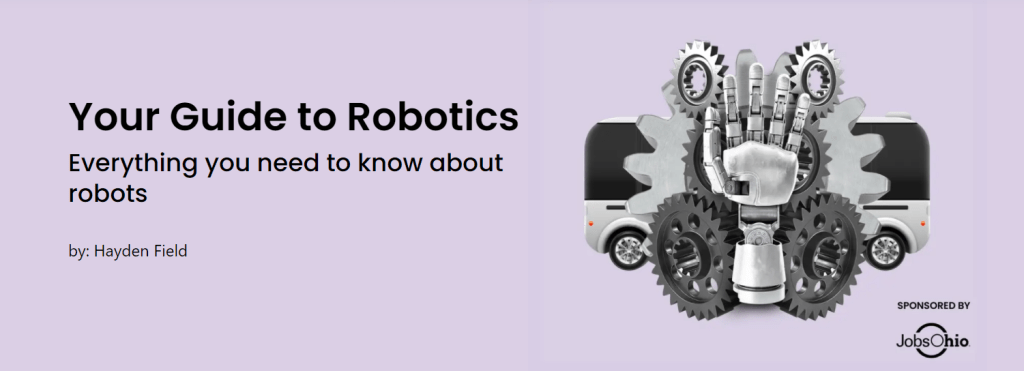
Your Guide to Robotics

The Emerging Tech Brew, my favorite Morning Brew newsletter, recently released a Guide to Robotics. This comprehensive guide lays out everything you need to know about robotics (it even includes ~20 page timeline). This was a great read and I highly recommend the report to anyone interested in technology.

https://www.morningbrew.com/emerging-tech/guides/your-guide-to-robotics

Although the report focuses on physical robots and hardware, they mention Software Robots: “it’s important to mention robotic process automation (RPA) here. It’s a way to automate rote knowledge work tasks using algorithms.” (Field, 2021). Field goes on to explain that the RPA industry is big money. The “leading RPA startup UiPath… announced a $750 million Series F this year” UiPath, which counts Google, NASA, and JPMorgan among its clients, will be valued at $35 billion this year, over 10x more than it was worth in 2018. The RPA and Automation space is exploding and I’m excited to see where it goes.

Sky Harbor Automated Checkout

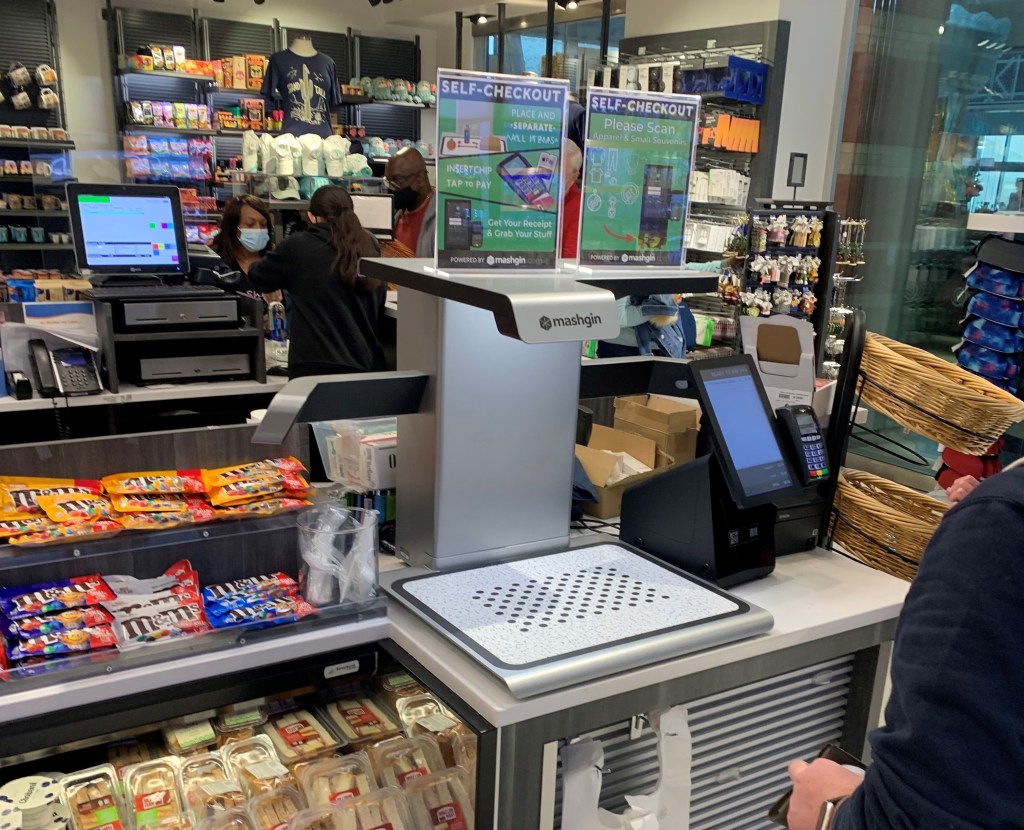
While traveling back to SF from PHX, I stopped for a Dasani at one of those snacks/drink/magazine airport stores (does anyone buy magazines anymore?). I patiently waited in line and suddenly realized there wasn’t a person on the other side of the checkout counter. Confused, I walked to the adjacent register but stopped suddenly at the sight of what looked to be a Star Trek inspired 3D printer. The device didn’t produce material but gathered material– it was Mashgin’s touchless checkout system, the world’s fastest self-checkout powered by AI.

Mashgin’s touchless self checkout machine in Phoenix

I was amazed at this beautiful machine. The technology can identify multiple items in under a second so customers can scan, pay, and be on their way. It can instantly identify packaged goods, produce, and open plates from any angle.

This innovation is so exciting. Employees are often a business’ largest expense. Business owners can hire less staff and increase revenue by reducing lines. This product is groundbreaking not only financially but also ethically. We can release employees from mundane, repetitive tasks and refocus them towards innovation and improvements. I could be speaking from my own experience, but I’ve never met someone who is in love with manning a register. With innovations like this we can let people to do people things.

There’s often a misconstrued argument that robots will take our jobs. Certainly, the workforce will have to upskill and evolve, but I think that’s the nature of human evolution. When cell phones were invented, we weren’t worried about pay phones becoming obsolete. Technology will only promote our human innovation and metamorphosis.

I am so excited for the future or robotics, AI, and Automation and can’t wait to see how technology, like Mashgin’s, disrupts every aspect of our lives.

My Favorite Podcast: The Process and Automation Podcast

Episode #43: Arno Van Rooyen and Sascha Cutura talk about the recent news and fluidity that surround Low Code and RPA Platforms.

Founders Arno Van Rooyen and Sascha Cutura begin with big news: Vista Equity Partners buys BluePrism, a deal that is estimated to be worth $1.5B. BluePrism is one of the big three RPA vendors, the other two being UiPath and Automation Anywhere.

Arno Van Rooyen and Sascha Cutura explain that the BluePrism acquisition could mean big things are coming from the trailing Platform. I’ve found a similar resonance from RPA professionals that I’ve spoken with: UiPath seems to be leading the big 3, however this could change.

Cutura goes on to explain that although the big 3 have been historically dominant, RPA is hot: “left and right, there are a new vendors popping up and other, bigger vendors are buying smaller vendors.” There’s a lot of fluidity in the Automation space. There exists ample M&A activity from PE firms and vendor on vendor acquisitions. This signals that RPA is a hot space full of promise and potential.

The below episode focuses on BluePrism, as their Advisory Alliance Director Brad Hairston talks about the future of Intelligent Automation. Brad is passionate about accelerating Digital Transformation through a blend of Human Capital, Digital Workers and Systems.

#44 The Future of Intelligent Automation with Brad Hairston at Blue Prism – The Process & Automation Podcast | Podcast on Spotify

The duo continues to talk about Low Code and No Code Platforms. As of late, there has been a plethora of activity within the market. Appian, a superior leader within Low Code Platforms has announced their newest version that will allow users to further leverage Automation within the Platform. With this version, they’ve allowed for seamless access to data pools across several applications.

They then spoke about brand-new-to-me technologies such as Anvil, a free Python-based drag-and-drop web app builder. With Anvil, one can build full stack web apps with nothing but Python. This is extremely interesting to me, as I just started the “Automate the Boring Stuff with Python” course on Udemy.

Another new-to-me technology is Creatio, a platform that enables users to customize a mobile app as quickly and easily as it takes to customize a desktop application. This sounds similar to Appian, and, with its strategic alliance with Low Code Labs, could be a well founded competitor.

Next, we hear of Claris, another Low Code RPA Solution, announcing their Low Code Accelerator Program. The program was created in respect to the the massive growth in low-code technology and the significant opportunity for increasing diversity within the tech industry. As someone with a barely technical background (MIS degree), this is extremely exciting for me. The program aims to equip students with technical and operational training on the Claris platform.

Lastly, and most exciting to me, the Process Mining Platform Celonis recently established a center of expertise called “Celonis Labs” for developing new and cutting edge solutions. The Lab will focus on the intersection of Process Mining and innovative technologies like AI and Augmented & Virtual Reality. It will be interesting to see how these concepts interact with and enhance Process Mining. They’ve also unveiled a Data Robot AI Cloud solution that will be used to unify the environment for what they call “the next generation of intelligent businesses.” Process Mining looks to be a budding practice– I can’t wait to get my hands dirty and dive into this exciting and evolving territory.

The scope and market for Automation is ever increasing. We see the evidence through PE firms getting in on the action, firms investing in RPA, RPA program development, and vendors investing in AI. I’m excited to be a part of this rapidly evolving industry.  

For more information about the Process and Automation Podcast, visit their website.

Automating EMS Office Reservations

Reserving an office at KPMG is a somewhat tedious process. High-level, there are two steps:

  1. Reserve the office space/workstation
  2. Take a Daily Health Check on the day of the reservation

I would like to automate both of these processes. Let’s start with the first step, creating a reservation:

  1. Navigate to the firmwide EMS reservation page
  2. In the “Book a workspace” row, select book now
  3. Select the date and time of reservation
    • I prefer to select 7 am to 11 pm just to be safe
    • Note: there is an ability to schedule a reoccurring reservation, however, the system limits users to 6 reservations past the current day
  4. Select the Add/remove button within the “Location” row
  5. Type and check the “San Francisco” option (or office of your choosing)
  6. A full list of office and work spaces will populate. Choose the preferred space.
  7. Select Next Step in the top right corner
  8. Select Create Reservation in the bottom right corner
  9. Done. The reservation has been created.

Before entering the office, users must complete a Daily Health Check:

  1. Navigate to the Daily Health Check page
  2. Sign into your firm account, if necessary
  3. Authenticate your account via Windows security text code
    • This could get tricky
  4. Click the Daily Check-in button
  5. Select Yes, a second prompt will extend beneath
  6. Select I have been fully vaccinated, and I understand that
  7. Select Submit. A prompt explaining that “If you have received the appropriate approvals you may proceed to the KPMG office…” will appear
  8. Select Okay. This part is likely optional.

Now, the employee will have access to their chosen office via their employee badge. Granted, this process likely takes ~5 or less minutes to complete, I see value in having an automated bot that reserves my favorite office on my favorite floor every 6 days for the following week. I’d likely keep the health check manual, as it can be done on mobile and is a daily control.

There are some ethical concerns here:

  • What if I’m not using the office, but I have it reserved? A colleague could be using the beautiful, vacant corner office
  • Even if I’m using it everyday, is it right to have a program that automatically reserves the most attractive offices? Tangentially, is it ethical for consumers to deploy bots to purchase all of a high end brands (i.e. Supreme) limited, newly released products?

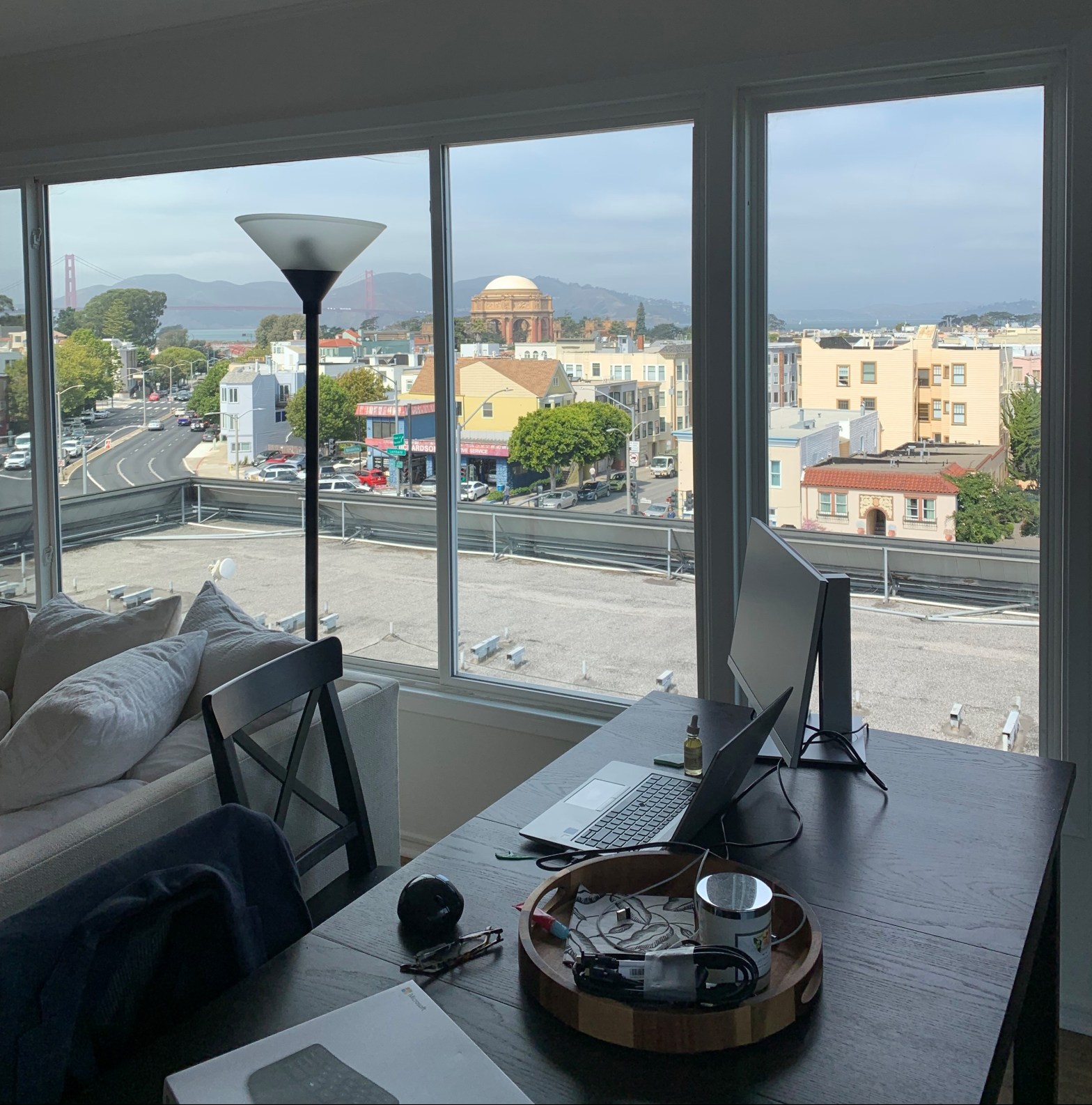
Ethical concerns aside, I’m really enjoying my at home set up. I’ll likely be in the office when that 3rd monitor is vital to productivity or when there are events/planned days in office.

Uber Motorcycles

This is less so of an automation idea and more of an overall efficiency idea. I would like to be found the first rideshare service using motorcycles. This would probably be best for California, as lane splitting is one of the more attractive features. It’s perfect for people looking to get around fast and efficiently.

This idea came to while in an Uber on the way to Treasure Island. My driver, Angelica, was driving like an absolute menace– swerving through lanes, skipping backed up lines of traffic, shooting the gaps between cars. As someone prone taking unnecessary risks, I loved it. She was over joyed when I told her she was driving exceptionally, as she’s had passengers ask her to slow down or be more safe. I took down her number for future private rides.

There would certainly be an tsunami of legal and compliance issues. According to NHTSA “Motorcyclists account for 14% of all crash-related fatalities, even though they are only 3% of the vehicles on the road. Motorcyclists are 28 times more likely than passenger-vehicle occupants to die in a car crash. More than 80% of these type of crashes result in an injury or death.”

Motorcyclists account for 14% of all crash-related fatalities, even though they are only 3% of the vehicles on the road.

https://www.nhtsa.gov/road-safety/motorcycles

In the event of a death during the service, the company would surely be shut down. We’d have to retain some of the best lawyers the world has seen. And the insurance bill? It’s take us twice as long as it took for Uber to become profitable (EBITDA adjusted, obviously).

As the roads get safer with self-driving cars and advanced technology, a motorcycle rideshare service may become possible. Until then, I’ll keep spending my paychecks on Revels.

Why is RPA Exciting?

Although I was recently introduced to Robotic Process Automation (RPA) by my career coach, I had accidentally encountered the topic much earlier—almost three years earlier. While in high school, I worked at a law firm as a marketing intern. There, I was tasked with completing a tedious marketing process: sending hard mail to potential clients with outstanding medical liens.

In short, the process included gathering data from a county database, cross-checking names with addresses through a separate database, entering said data into Excel, and mail-merging the data to printable, ready-to-send mail. I thought, “there has to be a faster, more efficient way to do this.” I found a Google Chrome extension called Linkclump and drastically expedited the process. I had found my passion for solving complex problems and finding innovative solutions. I also, without knowing at the time, found a passion for Robotic Process Automation. Today, a consultant could go to the law firm and completely automate this process using RPA technology.

UiPath, the leading RPA software firm, describes Robotic Process Automation as “the technology that allows anyone today to configure computer software, or a “robot” to emulate and integrate the actions of a human interacting within digital systems to execute a business process.” RPA robots can interpret data, trigger responses, and communicate with systems just like humans can, only substantially better: they never sleep and never make mistakes.

Companies can use an array of software to automate the tedious business processes they face. The issue is that these enterprise automation tools are expensive and take time to implement. RPA is attractive to businesses because it’s a fraction of the cost, takes a fraction of the time to implement, is non intrusive in nature, and uses the firm’s existing infrastructure without causing disruption. With all advantages being said, it is important to know that RPA has its pitfalls.

RPA isn’t for every business. The technology is rapidly eliminating jobs from the workforce. While this sounds like a positive consequence, companies who struggle to retain talent could be detrimentally impacted. Forrester Research estimates that RPA software will threaten the jobs of 230 million workers globally by next year. Additionally, not all processes are a match for RPA. Kevin Casey, writer at The Enterprisers Project, details four criteria when determining possible RPA fits:

  1. The process must be rule-based.
  2. The process must be repeated at regular intervals or have a pre-defined trigger.
  3. The process must have defined inputs and outputs.
  4. The task should have sufficient volume.

After talking to firms like CGI and Protiviti at the recent Eller Career Showcase, I learned that RPA is a hot topic. Through this service, we are seeing a revolution in business process automation. Clint Boulton, senior writer at CIO.com, explains that RPA is eliminating, “tedious tasks, freeing corporate workers to focus on higher value work.” The software is categorically reducing staffing costs and human errors within businesses. In 2018, a prominent bank utilized RPA by deploying 85 bots to run 13 processes, handling over 1.5 million requests per year. The possibilities that come from RPA implementation are endless.

RPA is so exciting to me because I believe it is the technology of the future. I believe that we are at the beginning of a period that will be defined by serious technological advancement—a future that is encompassed by automation and artificial intelligence. With the arrival of autonomous cars, cashier-less stores, and automated processes, humankind will gain time. We will be relieved of the tedious and previously-necessary tasks that once encumbered us. In this dystopian-yet­-very-feasible future, society will have the resources to do the things they love. We will invest time and energy into art, culture, food, film, fashion—the things that truly excite us as humans. I’m excited to be a part of this dynamic, tech-driven future.